 backfyl
Every shift,in their own calendar.
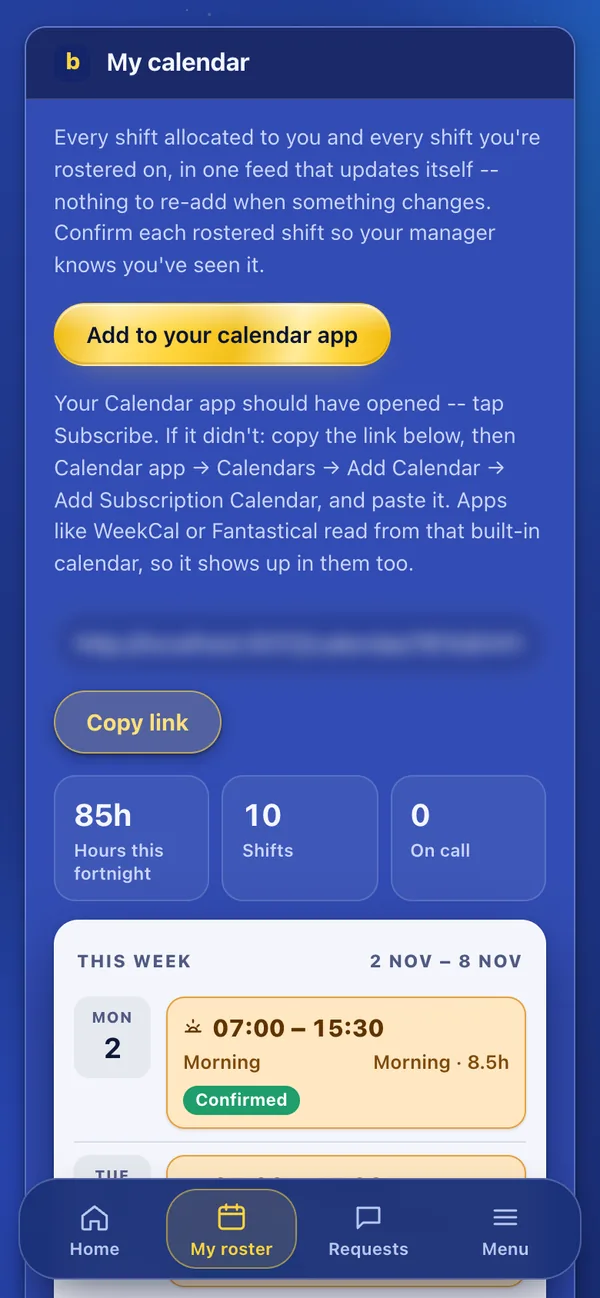
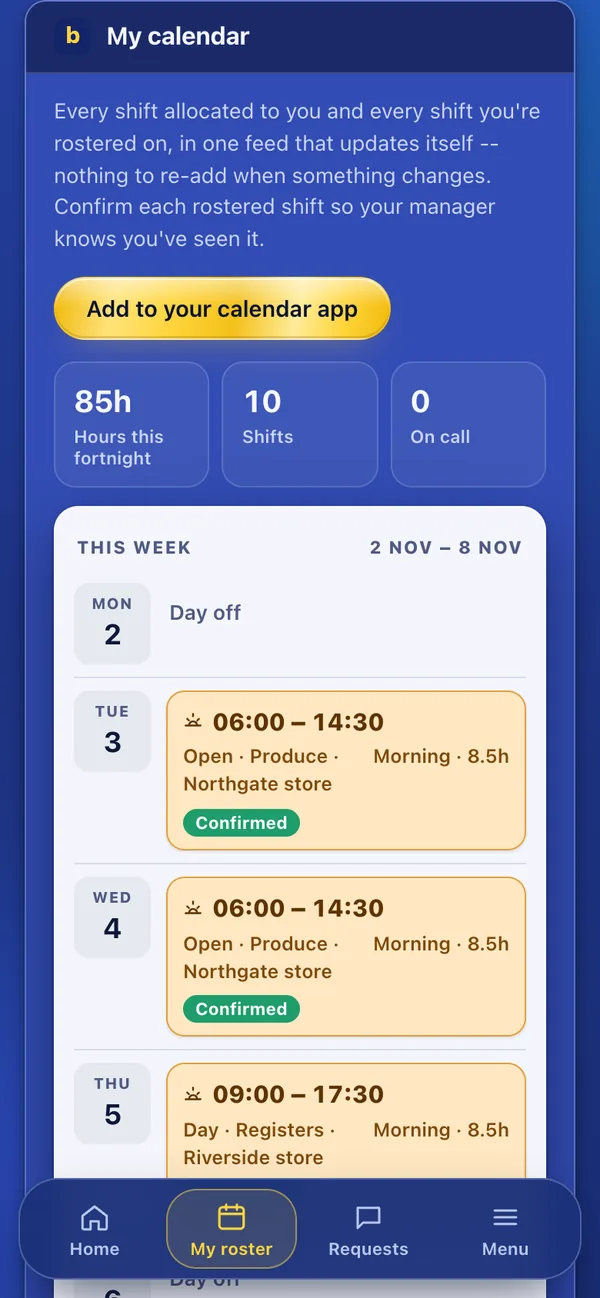
Each person gets one calendar feed for every shift they’re rostered on or given. Add it once to Apple, Google or Outlook, and changes arrive by themselves: nothing to add again.
In both plansBackfyl Cover from $10 a month
Shifts wherestaff already look.
Add it once.
Add to your calendar app opens the phone’s calendar to subscribe. On a computer, copy the link into Apple, Google or Outlook.
It keeps itself up to date.
New shifts, changes and shifts given to them through cover arrive in their calendar by themselves.
Confirm what’s new.
Each rostered shift asks to be confirmed in the app, so the manager knows it’s been seen.
One feed,every shift.
- Shifts, cover and on call
- Rostered shifts, shifts they’ve been given and on call, in one feed.
- Their own feed
- Each person’s feed shows only their own shifts.
- Hours at a glance
- My calendar shows the fortnight’s hours, shifts and on calls.
- Both plans
- Calendar sync comes with Backfyl Cover and Backfyl Workforce.
In both plans
Backfyl Cover, from $10 a month, fills the gaps in the roster you already have. Backfyl Workforce, from $2 a person a month, runs the whole roster. Four weeks free on either, and no lock-in contract.
How each industryuses it.
Works well withthe rest of Backfyl.
Every part shares one roster, one team and one app. Use the parts you need and leave the rest out.
Questionspeople ask first.
Which calendars does it work with?
Apple, Google and Outlook, and any app that reads from them.
Do staff still need the app?
Their calendar shows every shift. Confirming shifts and answering requests happen in the app.
Which plan includes calendar sync?
Both plans.
Put every shiftin every calendar.
Set your team up today. Nothing is charged until day 29, and you can cancel at any time before then.