 backfyl
Aged care rostering,from the full roster to tonight’s gap.
Backfyl is rostering software for residential aged care and nursing homes. Backfyl Workforce runs the whole roster: building it, leave, hours and wage costs. Backfyl Cover keeps the roster you already have and fills the gaps, offering each open shift privately to the staff it suits. Four weeks free on either.
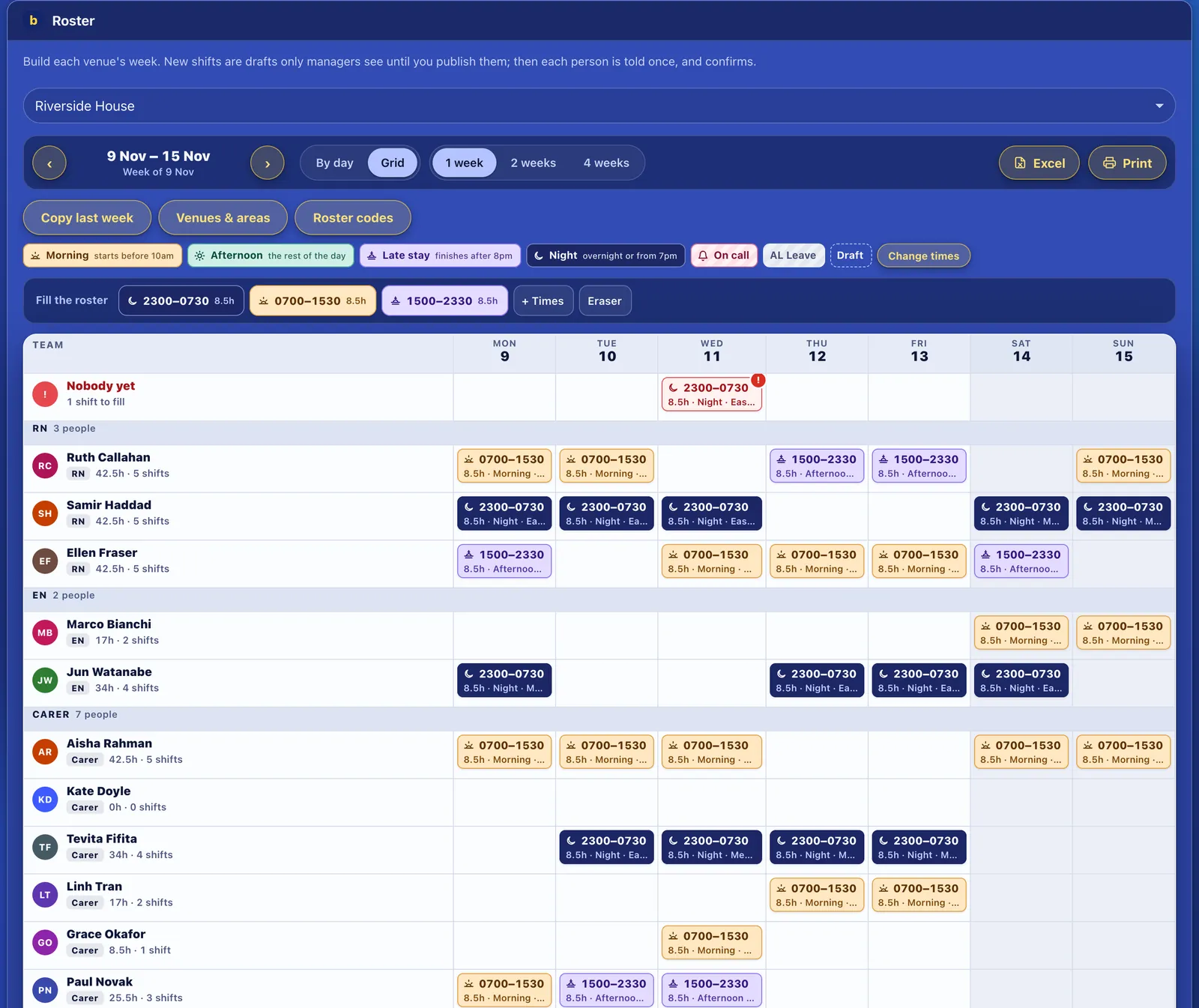
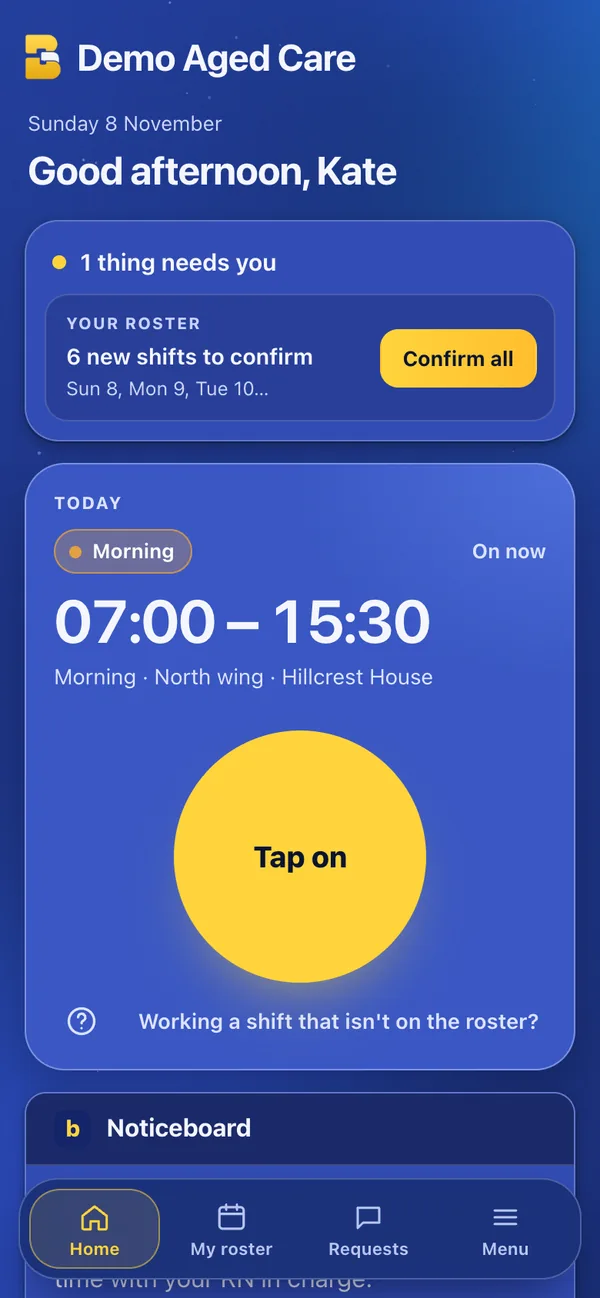
Why an aged care rosteris hard to keep full.
- It never stops.Mornings, afternoons and nights, every day of the year, including public holidays.
- Every shift needs the right person.A registered nurse, an enrolled nurse or a carer; someone who works in that wing; someone whose certificates are current.
- Gaps appear at short notice.A sick call before a night shift often means phoning down a list, posting in a group chat, or booking agency staff.
- Staff work across homes.A group with several homes shares people between them, and the hours have to add up across all of them.
- The roster feeds everything else.Leave, timesheets and pay all depend on it being right.
Backfyl Workforce:the complete rostering platform.
One system for the whole roster cycle, for one home or a group of them. These are the parts a home uses most; each opens a page of its own.
- RosteringBuild, copy and publish the week
- Shift coverAsked by tag, filled in a tap
- SwapsThe rules checked first
- Tap on, tap offTimesheets from the shift
- LeaveBalances, asked and approved
- AvailabilityWhen people can’t work
- CertificatesReminders before they lapse
- NoticeboardNews on everyone’s home screen
- Build the roster and publish it
- Drag shifts across the week, copy the last two or four weeks, or upload the roster you already have. Shifts stay as drafts until you publish, then each person sees their own in the app and in their own calendar.
- Each home in one workspace
- Every home is a venue, with its own areas or departments, such as a wing or a memory support unit, and its own managers.
- Sick calls in the app
- A staff member who is unwell calls in sick from their phone. The shift opens up, the managers are told, and a personal leave request is made for them.
- Certificates checked on the roster
- Record the certificates your homes require, with expiry dates. Staff are reminded a month before one expires, and anyone rostered in an area without what it needs is flagged.
- Leave and availability
- Staff request leave and say when they can’t work. Managers approve it, the roster shows it, and leave balances are kept up to date.
- Tap on and tap off
- Staff tap on and off from their phone, checked against the home’s location, with breaks. Timesheets come from the shift itself, ready to approve and export.
- Wage costs as you roster
- Each shift is costed from the pay grades and rules your team enters for its award or agreement, with each day’s total and overtime counted across homes. Approved hours can be sent to Xero payroll.
- A complete record
- Every change to the roster, cover, leave and people is recorded: who, when and what.
How a night shiftis filled.
A carer calls in sick for tonight.
The shift in the east wing opens up, and the managers are told.
The manager ticks who it suits.
Carers, nights, east wing. The list narrows as each tag is ticked.
Only those staff are notified.
Nobody else is disturbed. Each answers in one tap, and replies come back to the manager alone, with a running count.
It’s given to one person.
Backfyl flags any roster clash first. It lands on the roster and in their calendar, and the others are thanked and released.
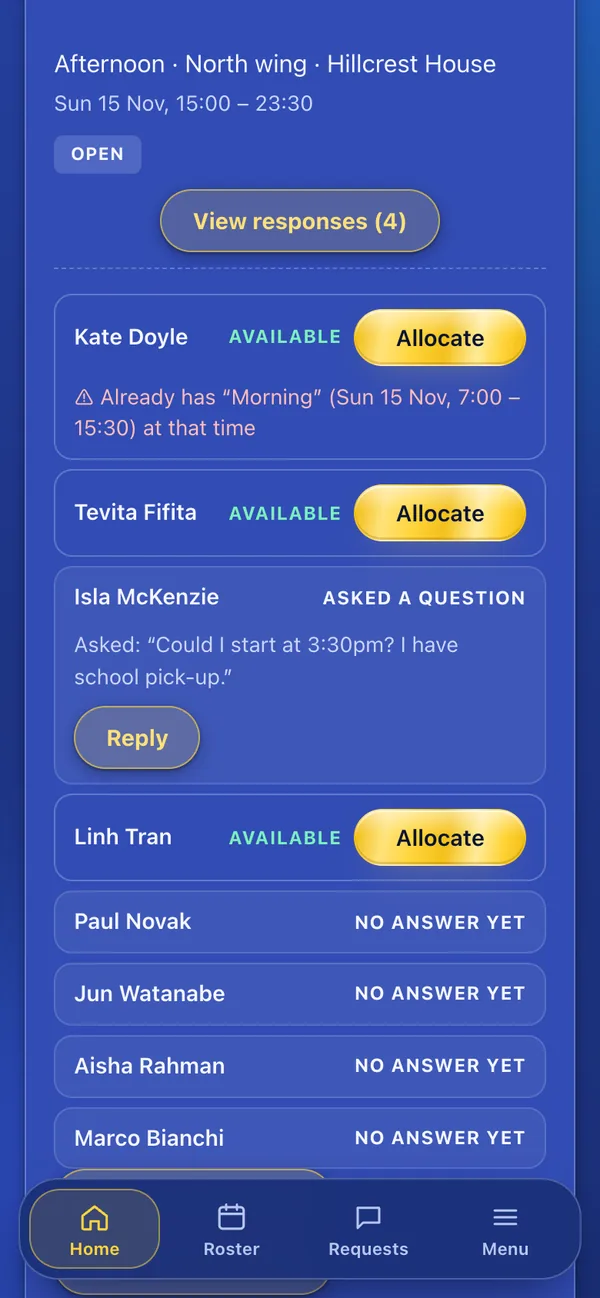
Backfyl Cover:fill the gaps in your roster.
For homes that prefer to keep their current rostering system.
- Upload your roster as it is
- Backfyl fills the gaps.
- Each vacancy goes privately
- To staff matched on their tags: role, wing, nights, medication rounds, the homes they work at.
- Staff answer with one tap
- Available, Unavailable or Ask a question.
- You give the shift to one person
- It goes into their calendar, and everyone else who offered is told it has been filled.
Private, not a group chat
Everyone is on the same feed, but every conversation is private. A staff member never sees who else was asked or what anyone else replied, and only hears about shifts they are eligible for. That means quicker answers, fewer phone calls and no group chats.
Two plans.Pick the one you need.
Four weeks free on either. No lock-in contract: change plan, change your card or cancel yourself at any time.
Backfyl Workforce
$2.50 a person a month
$25 a month covers your first 10 people. Paid yearly, $240 a year for up to 10 people, then $24 a person: $2 a person a month. Everyone who can sign in counts, managers too.
For 30 people: $75 a month, or $60 a month paid yearly. For 60 people: $150 a month, or $120 a month paid yearly.
Backfyl Cover
$10 a month
Boutique, $10 a month for up to 15 people at one venue. Corporate, $25 a month for up to 50 people across several venues. More than 50 people: email us.
Uploading the roster you already have is included.
Questions aged caremanagers ask.
Do staff need to download an app?
No. They open the invite link and add Backfyl to their Home Screen. It then works like an app, with notifications, on iPhone and Android, and in a browser on a computer.
Can we run several homes in one account?
Yes. Each home is a venue in one workspace, with its own managers and roster. Staff who work at more than one home see all their shifts in one place.
Does Backfyl pay our staff?
No. Backfyl estimates wage costs as you roster and keeps timesheets. Approved hours can be sent to Xero payroll, or exported for the payroll system you use.
Can we keep our current roster?
Yes. With Backfyl Cover you upload the roster you already have and use Backfyl to fill the gaps. You can move to Workforce later, and nothing is lost.
Start withfour weeks free.
Set up your home today. Nothing is charged until day 29, and you can cancel at any time before then.